Indie developers often pick a typeface first, only to realize it fights the visual style of the game. A well-chosen retro arcade glitch font fixes that mismatch. It ties distorted CRT aesthetics to readable menus, gives players instant visual feedback, and sets the tone without heavy artwork. When your UI feels part of the screen rather than floating on top of it, players stay engaged longer and navigate faster.
Retro arcade glitch fonts blend pixel-based letterforms with intentional distortion. The look mimics screen tearing, signal drift, or analog interference that old arcade cabinets and early monitors produced. Indie teams use them for title screens, high-score boards, loading prompts, or terminal-style dialogue boxes. The goal is not just decoration. It is functional styling that matches the game’s mechanical feel while keeping text legible at standard low-res boundaries.
When should you actually add glitch typography to a game interface?
Use these typefaces when the game’s theme relies on analog decay, hacked systems, or arcade nostalgia. Platformers with corrupted levels, puzzle games that simulate broken terminals, and cyber-adjacent titles benefit most. The distortion works best in short bursts. Menu headers, level names, or warning labels carry the effect without breaking the flow. If your core gameplay needs players to scan long paragraphs or complex stats, switch back to a clean pixel font. Glitch styling should highlight moments, not hide them. You can see how contrast works in a style guide for dark cyberpunk interfaces that separates readable data from decorative titles.
Which retro glitch typefaces actually read well at low resolutions?
Not every distorted font survives a 480p display test. Look for designs that keep character proportions intact. The glitch effect should appear on the edges or as a slight offset, not across the main letter shape. PixelDrift Arcade maintains sharp stems with a controlled horizontal shift. StaticWave 8-Bit uses subtle vertical noise that fades at smaller sizes. RetroGlitch Mono adds screen-tear lines only to uppercase letters, leaving lowercase clean. Each of these holds up when scaled down for HUD elements. You can search these names directly to compare how they render at 16px and 24px before committing.
Horror and tension projects often borrow similar visual noise, but the pacing changes. You can review how horror-focused type designs handle distortion to understand when heavier noise actually works against readability.
What common mistakes ruin the glitch aesthetic in indie UI?
The biggest error is applying the same intensity to every text block. Constant screen shaking or heavy offset makes players skip dialogue. Another issue is ignoring kerning on wide characters. Glitch effects can stretch M, W, or O until they bleed into neighboring letters. Always test with real game strings, not just alphabet samples. Check punctuation too. Periods and colons break easily when the baseline shifts. A clean fallback font for accessibility settings is also necessary. Players with motion sensitivity need a toggle to remove distortion entirely.
How do you balance style and readability during production?
Start with a solid grid. Map your text against a fixed pixel boundary, then add glitch layers as separate assets or shader effects. If you bake the distortion directly into the font file, you lose flexibility later. Use a two-pass rendering approach. Render clean text first, then overlay a glitch pass with adjustable opacity and offset values. This keeps CPU load low on older hardware and gives your UI artists quick iteration control. You can also adjust tracking instead of shifting individual letters. Tracking shifts the whole word slightly, preserving legibility while keeping the broken screen look.
When building a full type system for your project, reference this curated set of retro arcade glitch fonts for indie developers to see how spacing, weight, and fallback options pair together in a real engine setup.
Where do you start implementing glitch fonts in your current project?
Import your chosen typeface, set a base size, and render a quick UI mockup. Test it on actual gameplay footage, not just a blank editor canvas. Check how it performs against moving backgrounds and lighting changes. Adjust the contrast until the text pops without glowing unnaturally. Export your text blocks as PNG sequences or use your engine’s text component with a custom material. Keep a simple style sheet that lists font size ranges, line height, and fallback rules. This saves time during bug fixes and porting stages.
- Pick one headline font and one clean body font. Never use the glitch type for long reads.
- Test all strings at 1080p, 720p, and 480p before locking the asset.
- Adjust tracking and line spacing until characters stop overlapping on wide letters.
- Add an accessibility toggle that switches to a standard pixel font for players who need it.
- Save a style reference sheet with exact sizes, hex colors, and padding values for your team.
- Check the license file. Confirm the font allows commercial use in game builds and storefronts.
Build a quick prototype screen with your new type setup, run it on your lowest target device, and fix spacing issues before you move on to level UI. Small adjustments at this stage prevent readability complaints during launch week.
Explore Design The Best Glitch Fonts for Fps Game Titles
 Top Glitch Fonts for Competitive Gaming Overlays
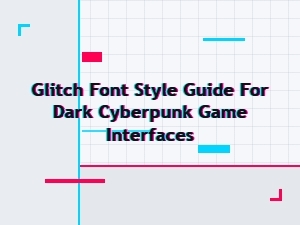 Designing Glitch Fonts for Cyberpunk Game Interfaces
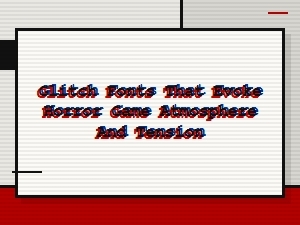 Glitch Fonts for Horror Game Atmosphere and Tension
 Top Glitch Fonts for Dystopian Sci-Fi Poster Design
 Modern Glitch Font Pairings for Tech Startups