A well-planned glitch font style guide for dark cyberpunk game interfaces keeps your UI readable while selling the high-tech, low-life atmosphere. Without clear rules, text becomes an unreadable mess that frustrates players instead of immersing them. The visual noise of a neon-lit city needs structure behind it. Designers use controlled digital distortion to suggest failing hardware, rogue AI, or signal interference. The goal is always function first, atmosphere second.
What does this type of typography actually look like in practice?
It is a documented system that defines how fragmented letterforms appear across your game. A proper setup starts with a clean, geometric sans-serif base. You then layer intentional artifacts like pixel shifts, horizontal slicing, or chromatic aberration. These effects should mimic CRT scanlines or data packet loss. When applied consistently, menus and HUD elements feel like they are routing through a compromised network. This approach works best when you limit heavy distortion to headers, priority alerts, and environmental signage.
When should you rely on corrupted text in your UI?
Use it during system failures, hacking sequences, and encrypted lore terminals. A sudden visual shift grabs attention faster than an audio cue alone. If a player loses connection to a drone, the objective marker should flicker and fragment to reflect the drop in signal. If you want to explore heavier visual tension, look at how developers handle atmospheric typography in horror and tension-driven designs. The key is to trigger the effect only when the game state changes. Constant glitching drains player focus and creates visual fatigue during long play sessions.
How do you keep distorted fonts readable on screens?
Legibility depends on font weight, letter spacing, and background contrast. Start with a high-x-height typeface that holds up at small sizes. Add tracking between characters so fragmented glyphs do not bleed together. Use pure white or bright cyan against dark backgrounds to maintain sharp edges. Avoid applying heavy displacement to body text or inventory lists. Players need to scan stats quickly during combat. If you are building competitive overlays, you might need cleaner alternatives discussed in guides for high-speed gaming text. For cyberpunk menus, test your choices at both 1080p and 1440p. Some artifacts disappear or multiply when the rendering resolution shifts.
Which base typefaces handle slicing and offset effects best?
You want fonts with sharp angles, uniform strokes, and solid vertical stems. Orbitron works well for futuristic headers because of its wide stance and geometric balance. Share Tech Mono handles terminal-style readouts without losing clarity at smaller point sizes. Blender Pro gives you a solid base that cuts cleanly when you apply slice shaders. Test these weights in your engine before layering distortion masks.
What mistakes ruin the cyberpunk UI aesthetic?
Over-applying red and blue chromatic offsets is the fastest way to strain player eyes. It looks striking in marketing screenshots but blurs real-time text during gameplay. Another common error is ignoring localization. Characters with diacritics or complex stroke structures break apart unpredictably when you run automated displacement filters. Always check extended character sets early in production. Scaling is another trap. A font that renders sharply in a vector editor might turn muddy in a Unity canvas or HTML overlay. Lock your size scale early. Never let glitch artifacts cross the safe area boundaries, especially on ultrawide monitor setups.
How do you structure the actual documentation file?
Build your reference around usage rules, not just visual mood boards. Start with a clear do and don't section for text hierarchy. Define exact hex codes for your neon palette and specify which background shades support light versus dark text. Include spacing units. Use 4px or 8px grids for alignment so your UI snaps into place cleanly. Show how the base typeface transitions into a corrupted variant at specific health or signal thresholds. Keep a separate section for animation specs if your engine supports live shader distortion. This makes it easier for artists and programmers to implement the system without guessing. You can find more structural advice in our full breakdown of dark cyberpunk interface standards.
Final checklist before shipping your UI pass
- Verify all interactive buttons remain clearly clickable without overlapping artifacts.
- Run quest text and inventory names through a localization test to catch broken glyphs.
- Check contrast ratios against your dark backgrounds using a WCAG tool to maintain accessibility.
- Export vector assets for clean scaling and raster fallbacks for older rendering pipelines.
- Document the exact gameplay conditions that trigger the glitch state.
- Run a silent playtest to confirm the typography alone communicates system errors correctly.
 The Best Glitch Fonts for Fps Game Titles
 Top Glitch Fonts for Competitive Gaming Overlays
 Retro Arcade Glitch Fonts for Indie Developers
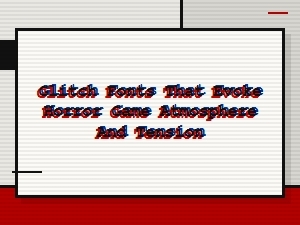 Glitch Fonts for Horror Game Atmosphere and Tension
 Top Glitch Fonts for Dystopian Sci-Fi Poster Design
 Modern Glitch Font Pairings for Tech Startups